n8n: Self-Hosted Workflow Automation with 1500 Integrations

5 11 2026
n8n: Self-Hosted Workflow Automation with 1500 Integrations

n8n is a fair-code platform for building AI agents and workflows using a visual canvas and custom code. It connects to over 1500 integrations and supports JavaScript and Python execution. The standard deployment uses Docker and runs locally on port 5678.

It is a solid alternative to closed-source tools if you need full control over your data stack. The Sustainable Use License restricts commercial redistribution, and the interface complexity requires a developer mindset. Skip it if you want a simple, no-code drag-and-drop experience without backend knowledge.

more: https://github.com/n8n-io/n8n

my other side: ivo.blogspot.com


RustDesk Self-Hosted Remote Desktop

5 11 2026
RustDesk Self-Hosted Remote Desktop

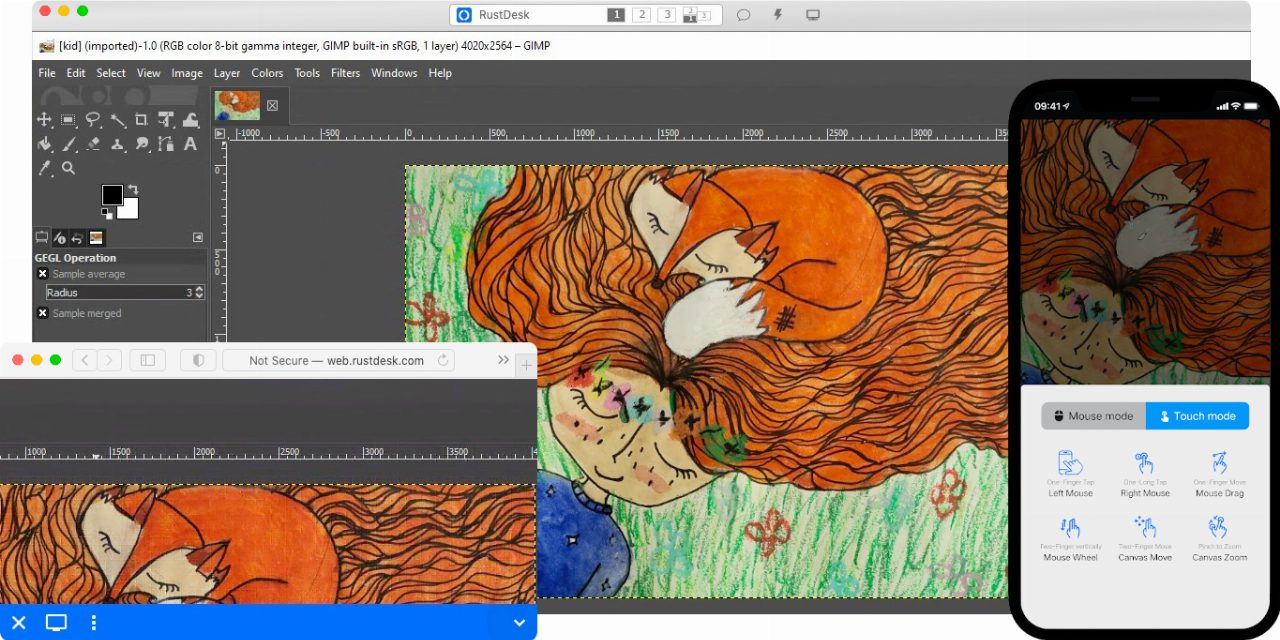
RustDesk is a remote desktop control tool written in Rust that replaces proprietary clients like TeamViewer. It runs on Windows, Linux, and macOS with a peer-to-peer architecture. You can use their public relay servers or self-host your own rendezvous and relay infrastructure.

It is worth a look if you want to keep your connection data off third-party servers. The catch is that self-hosting requires managing your own relay infrastructure, which adds operational overhead. It is not for users who want a zero-maintenance, plug-and-play experience without configuring network daemons.

more: https://github.com/rustdesk/rustdesk

my other side: ivo.blogspot.com


Coder Self‑Hosted Development Environments

4 11 2026
Coder Self‑Hosted Development Environments

Coder is a self‑hosted platform that provisions cloud development environments and AI coding agents. Workspaces are defined in Terraform and run on EC2 instances, Kubernetes pods, or Docker containers. The platform uses a Wireguard tunnel for secure access and shuts down idle resources automatically. It integrates with PostgreSQL for persistence and supports multiple LLM providers.

It can save teams time by onboarding developers in seconds and reducing infrastructure cost through idle shutdowns. However, it requires maintaining your own infrastructure, including database and networking, and lacks out‑of‑the‑box CI/CD pipelines. It is best suited for teams comfortable with Terraform, self‑hosting, and managing AI model governance.

more: https://github.com/coder/coder

my other side: ivo.blogspot.com


Open-Meteo Weather API: Free Key‑less Service

4 11 2026
Open-Meteo Weather API: Free Key‑less Service

Open‑Meteo is a free weather API that requires no API key and returns data in under 10 ms. It serves hourly and 16‑day forecasts from high‑resolution global and regional models and includes 80 years of historical weather. The service is hosted on servers in Europe and North America and is built from openly published national weather model data. It is available for non‑commercial use under CC BY 4.0.

The API is useful for projects that need quick access to forecast and historical weather without a subscription. Its main limitation is that it is only free for non‑commercial use; commercial projects must pay or self‑host. If you need proprietary models or very fine temporal resolution beyond hourly, you’ll need another provider.

more: https://github.com/open-meteo/open-meteo

my other side: ivo.blogspot.com


Self-hosted photo and video manager in Docker

3 11 2026
Self-hosted photo and video manager in Docker

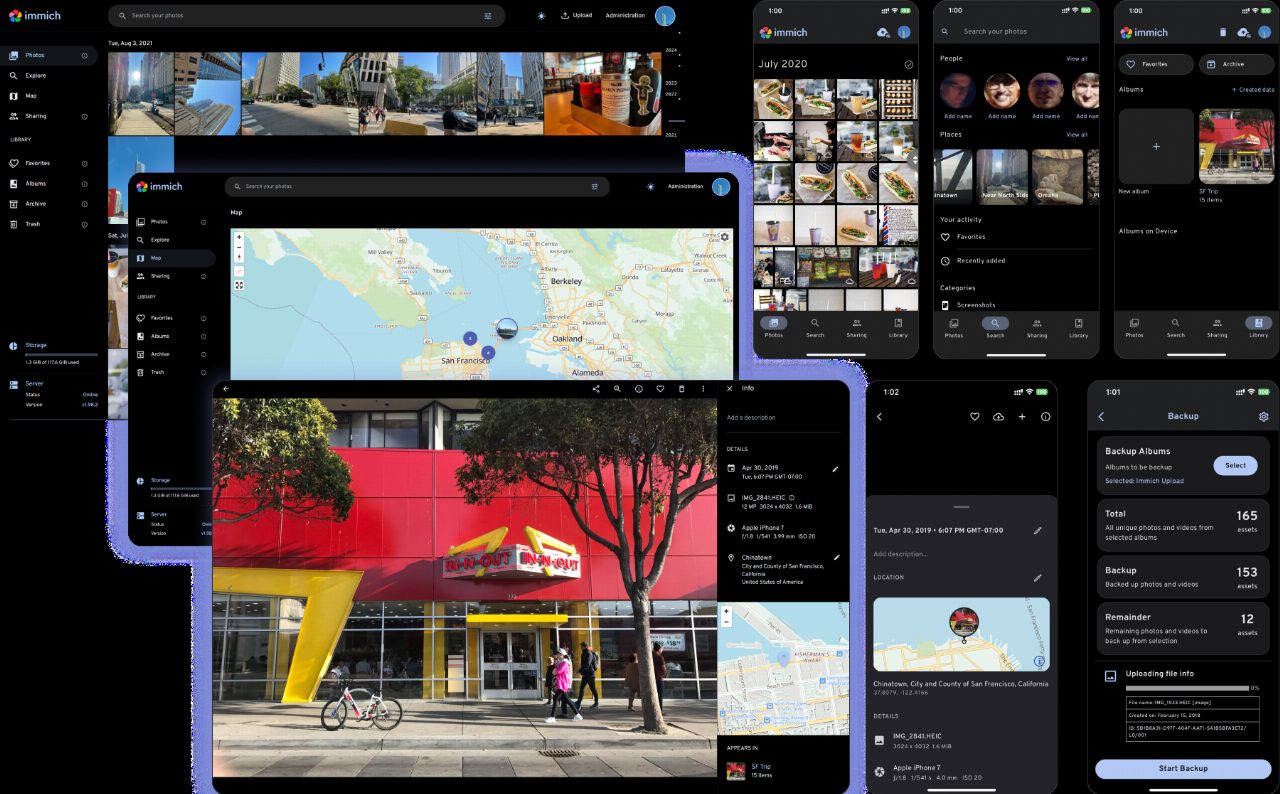
Immich is a high-performance, self-hosted alternative to Google Photos that runs via Docker Compose. It handles photo and video uploads, facial recognition clustering, and full-text search based on object metadata. The web interface lets you view EXIF data, manage albums, and share links, while the mobile app supports background backups.

It is a solid choice if you want to keep your media library local and private without relying on cloud subscriptions. The main catch is that you must maintain your own hardware and ensure a robust 3-2-1 backup strategy, as the system does not manage redundancy for you. It is not for users who want zero-maintenance cloud storage with automatic off-site replication.

more: https://github.com/immich-app/immich

my other side: ivo.blogspot.com


ImmortalWrt builds custom router firmware from source

2 11 2026
ImmortalWrt builds custom router firmware from source

ImmortalWrt is an active fork of OpenWrt that packages additional drivers, localization patches, and performance tweaks not accepted upstream. The build system requires an x86 host running Linux or macOS with about 25 gigabytes of disk space and a case-sensitive file system. You can generate preconfigured images via their web selector or compile locally using standard build tools.

It is worth using if your stock router hardware lacks features or you need specific packages missing from official OpenWrt builds. However, the project relies on patches and hacks that may occasionally break during updates or complicate troubleshooting. If you prefer strictly stable, upstream-supported firmware, stick to vanilla OpenWrt.

more: https://github.com/immortalwrt/immortalwrt

my other side: ivo.blogspot.com


evcc: Local Energy Management for Electric Vehicles

2 11 2026
evcc: Local Energy Management for Electric Vehicles

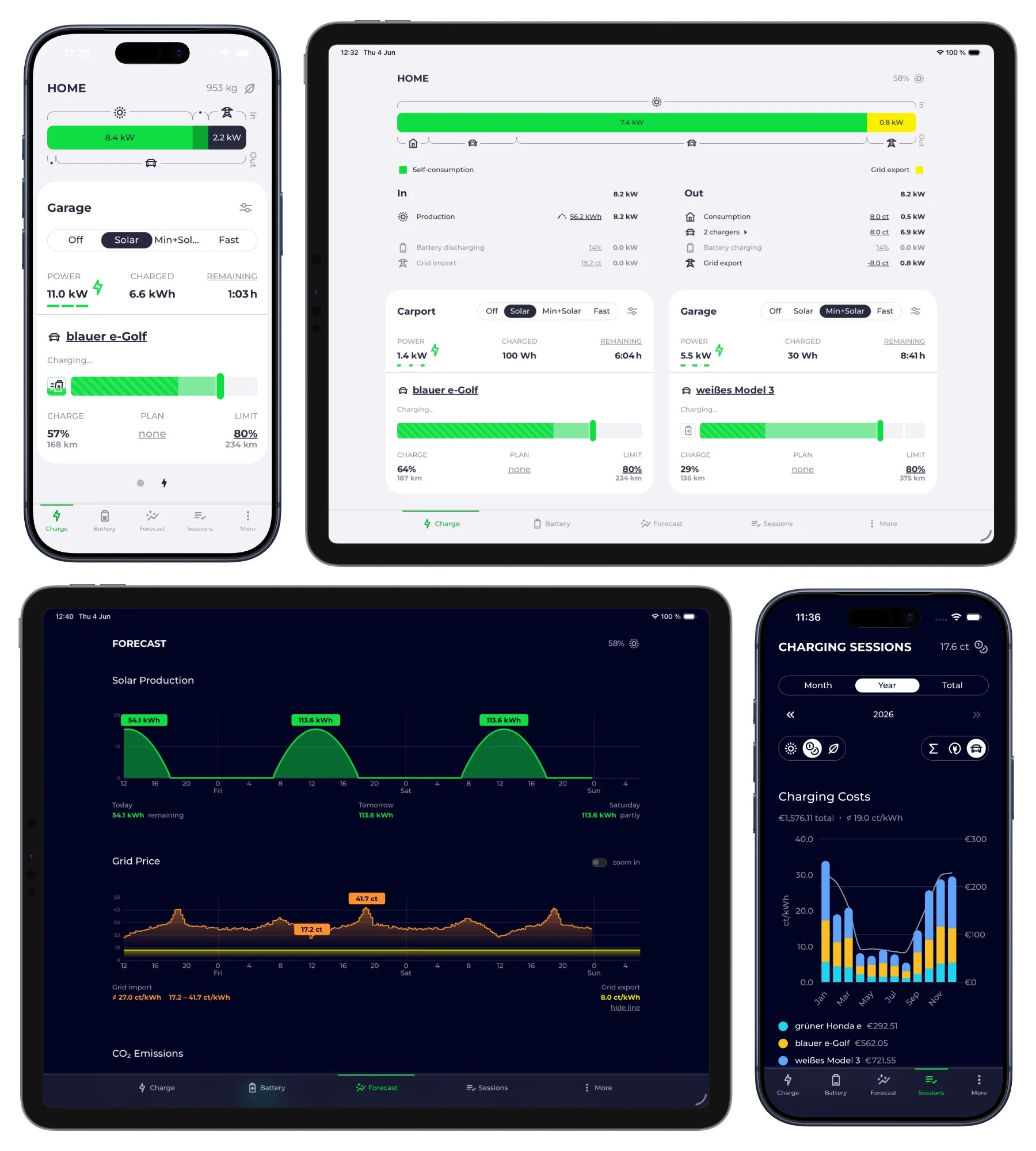
evcc is an open-source Go application that manages electric vehicle charging based on your home solar generation and grid tariffs. It runs locally without cloud dependencies and integrates with dozens of inverters, meters, home automation switches, and vehicle APIs. Instead of relying on vendor apps, it reads your live grid export and dynamically adjusts charging current to maximize self-consumption.

If you have solar panels and a supported charger, it is worth the afternoon required to write the YAML configuration file. The catch is hardware fragmentation; while the list of supported devices is massive, tracking down undocumented Modbus registers or flaky vehicle API tokens can stall your setup. It is a utility for people who want local control, not a plug-and-play consumer appliance.

more: https://github.com/evcc-io/evcc

my other side: ivo.blogspot.com


Paperless-ngx manages scanned documents via Docker

1 11 2026
Paperless-ngx manages scanned documents via Docker

Paperless-ngx is a document management system that indexes physical scans into a searchable archive. It runs as a containerized stack using Docker Compose and serves as the active successor to the original Paperless project. It provides an interface for tagging, organizing, and retrieving documents locally.

The software is stable and solves the common problem of digitizing paper records for personal use. However, it does not provide built-in file encryption at rest, meaning you must secure the host machine yourself. It is not suitable for users who require a zero-knowledge cloud solution.

more: https://github.com/paperless-ngx/paperless-ngx

my other side: ivo.blogspot.com


Hyprland dynamic tiling Wayland compositor for Linux

1 11 2026
Hyprland dynamic tiling Wayland compositor for Linux

Hyprland is a dynamic tiling Wayland compositor written in C++ for Linux, built on its own rendering engine rather than depending on wlroots or libweston. It replaces traditional desktop environments or older tilers like Sway, adding fluid window animations, dynamic layouts, and a built-in plugin system. Configuration files reload instantly upon saving, and the compositor includes socket-based IPC along with explicit tearing support for gaming.

It is worth installing if you want a modern tiling desktop that looks polished out of the box without writing custom layout scripts. The catch is its rapid development pace, which leads to frequent updates and occasionally broken configuration syntax between releases. It is not suitable if you want a minimalist tiler like dwl or require rock-solid ABI stability.

more: https://github.com/hyprwm/Hyprland


Appflare manages open source apps in your Cloudflare account

31 10 2026
Appflare manages open source apps in your Cloudflare account

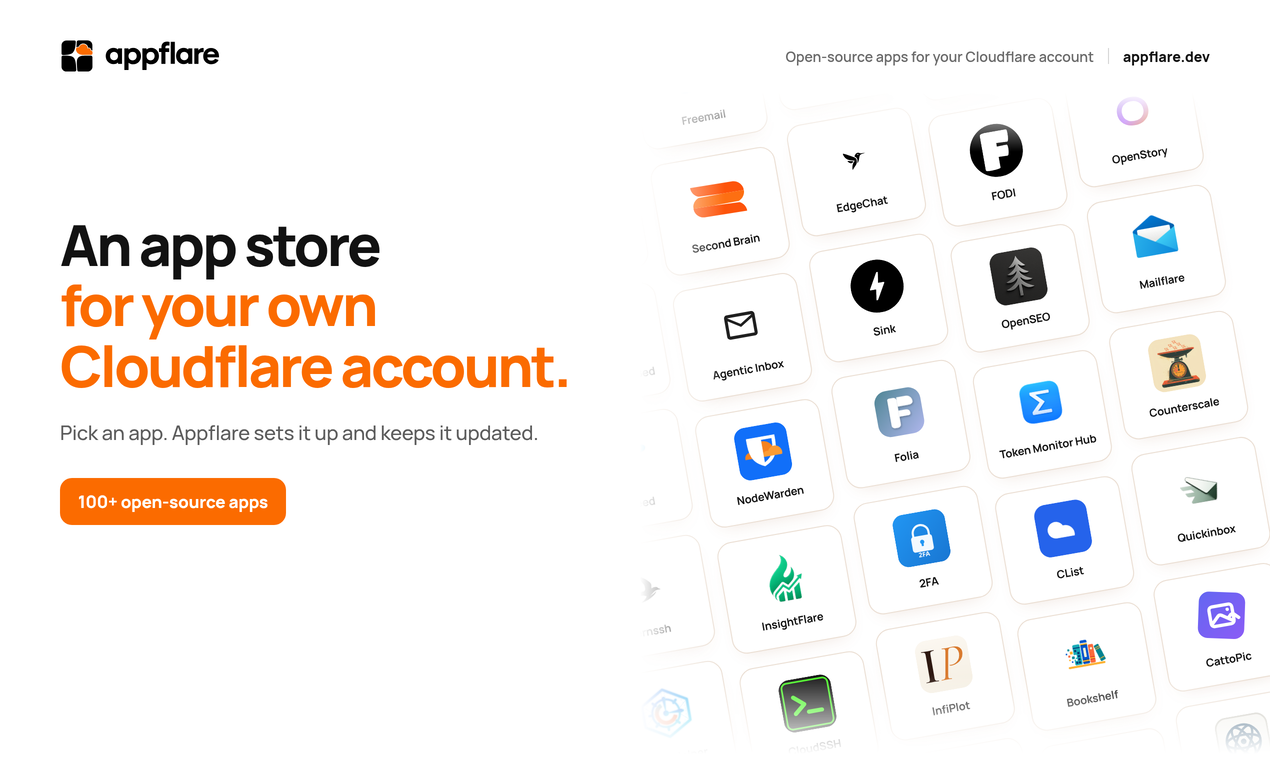
Appflare is an open source manager that installs and updates over 100 applications directly inside your own Cloudflare account. It handles the underlying resources like databases and storage, providing a single dashboard for custom domains and access control. Most apps run entirely within the free Workers tier, utilizing a browser installer or a Node.js CLI.

It is worth a look if you already rely on Cloudflare infrastructure and want to self-host small utilities without managing a VPS. The catch is that you are tightly coupled to Cloudflare's ecosystem and proprietary limits, making it a poor fit if you prefer portable Docker deployments on generic hardware.

more: https://github.com/appflare/appflare

my other side: ivo.blogspot.com